The ductwork is installed on the first floor. Two connections depend on another trade, and testing still needs a date. If the report simply says “ventilation complete”, the office may schedule the next stage using incomplete information.
Useful HVAC site tracking separates installed work, completed checks and outstanding actions. This guide covers the organisation of heating, ventilation and air-conditioning installation work. Adapt the reporting structure to your company's technical procedures.
Identify the zone and equipment
Start with references the crew can find on site: building, floor, room and equipment identifier. Use the terminology on the current drawing. The same item should keep its name across reports, photographs and follow-up tasks.
Record the date, author and company for each intervention. Add the drawing reference when an observation depends on a layout or route. If the drawing changes, include its revision: the date of a message does not establish which version the team was using.
A short list of zones is enough to start. Krewsite's HVAC site workflow groups field submissions with their project context. Agreeing the actual location references remains part of preparing the job.
Separate installation, checks and commissioning
Describe an observable stage. “Ductwork installed in zone A” and “testing completed in zone A” convey different information. Keep test results in the appropriate record and reference that document from the daily report.
| Stage | Information to record | Keep visible |
|---|---|---|
| Preparation | Available access, drawing revision and materials | Any missing prerequisite |
| Installation | Equipment or section installed | Remaining connection or finishing work |
| Verification | Check performed and its record reference | Outstanding check or result to review |
| Commissioning | Date, person responsible and associated document | Further action or missing record |
For projects in France, the PROFEEL resources listed by Bâtiment-Ventilation include self-check and handover sheets for ventilation work. Select the resource relevant to the installation. The table above organises information; technical acceptance criteria come from the documents applicable to the project.
A completed HVAC intervention report
This fictional example shows how to describe progress while leaving unfinished steps visible.
| Field | Example |
|---|---|
| Project and date | Tilleuls offices, 9 November 2026 |
| Zone | Building A, first floor, east corridor |
| Intervention | Installation of duct section V-12 on the reference drawing |
| Document | Ventilation drawing, revision C |
| Completed work | Section installed; two connections still outstanding |
| Checks and tests | Testing not performed; appointment to be confirmed after connection |
| Blocker | Access to room A-112 requires confirmation with the site supervisor |
| Attachments | Overall view and details of both connection points, with identifiers |
| Next action | Construction manager to confirm access and arrange the next visit |
| Status | Further work required |
Copy these fields and add those required by your procedure. The daily site report guide includes a general downloadable template. Keep detailed hours in the timesheet so they can be reviewed separately.
Give an outstanding item a clear next action
“Check with the electrician” does not establish what is required. Specify the expected response, who will coordinate it and when the item will be reviewed. If a date is unknown, record that it still needs agreement.
At the daily coordination point, review items that prevent the next crew from starting. A photograph can explain an access issue. Record the subsequent decision so the installation team knows whether to keep its appointment or move to another assignment.
The construction scheduling guide provides a template for initial and revised dates. Reference the relevant report when recording the reason for a change.
Collect reports through WhatsApp
In Krewsite, field users select a project and complete a form through the guided WhatsApp workflow. Office users review the saved information in Forms. Issues and time entries have their own workflows.
Prepare a template using the references on your HVAC projects. Test it with a zone, a completed intervention and an outstanding item. At the office, check that the submitted information is sufficient to organise the next step.
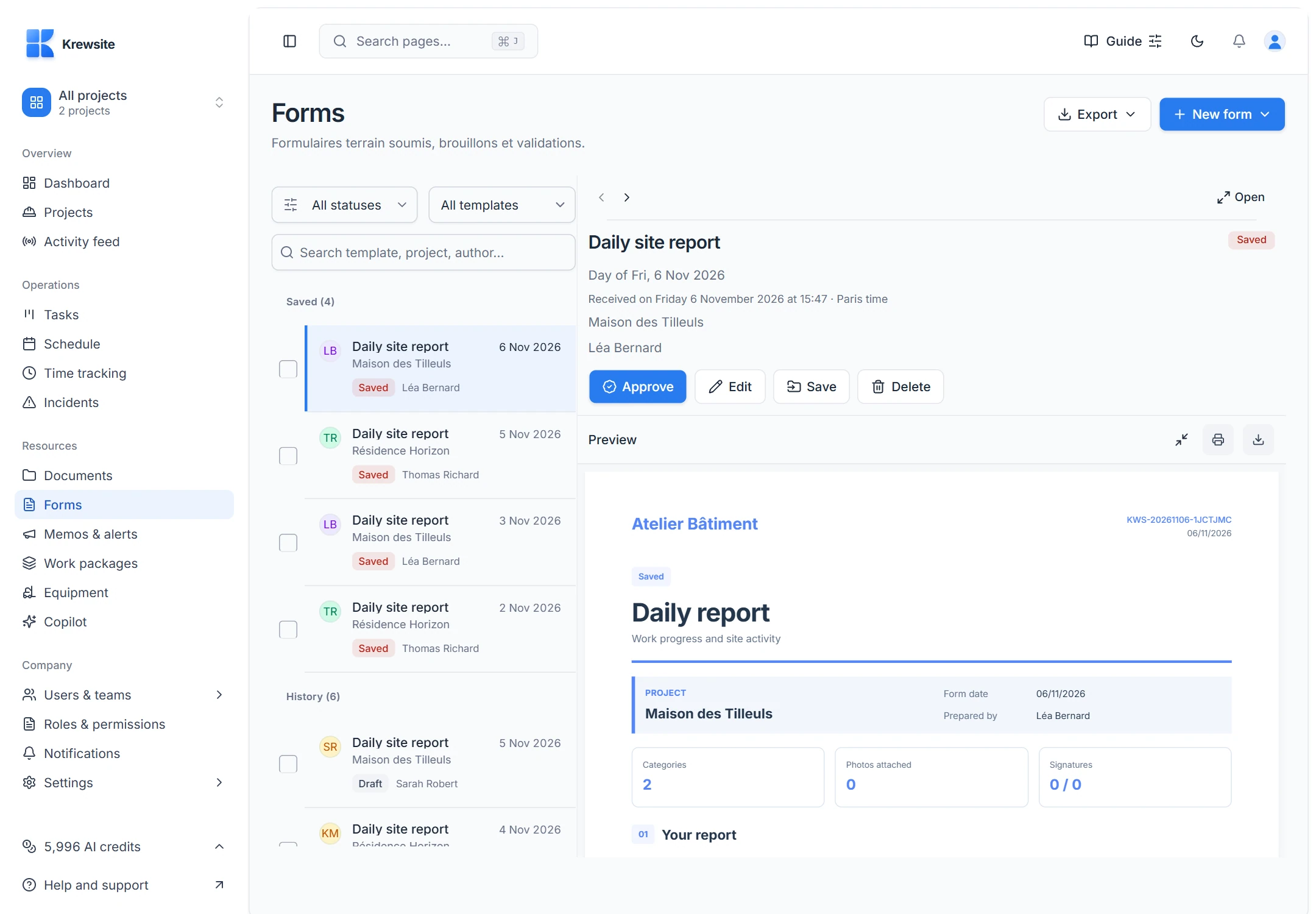
Demonstration screenshot. These records illustrate the interface; they are not a customer project or an HVAC test record.
Evaluate software against this workflow
Compare tools using the same situation: work across two zones, unavailable access and a report to review at the office. Check how each tool lets you locate the equipment, associate supporting files and follow the next action.
Field tracking serves a different need from system sizing or maintenance management. Clarify whether you need to prepare work, calculate an installation, document interventions or manage later visits. Our comparison by construction workflow distinguishes these scopes without naming a universal winner.
Frequently asked questions
What belongs in an HVAC site report?
Include the project, date, zone, equipment reference, completed work and outstanding items. Reference checks, their records and attachments. Finish with the next action and its owner.
Does a daily report replace a test record?
A daily report describes activity. A test record contains the measurements, conditions and results required by the relevant procedure. Link the two so the reader can retrieve both.
How do you track several interventions on the same day?
Separate zones or equipment when their status differs. One “installed” entry for the entire project hides outstanding work. Review the reports together at the coordination meeting.
Explore Krewsite Forms to prepare a first reporting template for your team.
